 Click to enlarge
RoboBuilder KE10040
Ask About This ProductDescription
Features
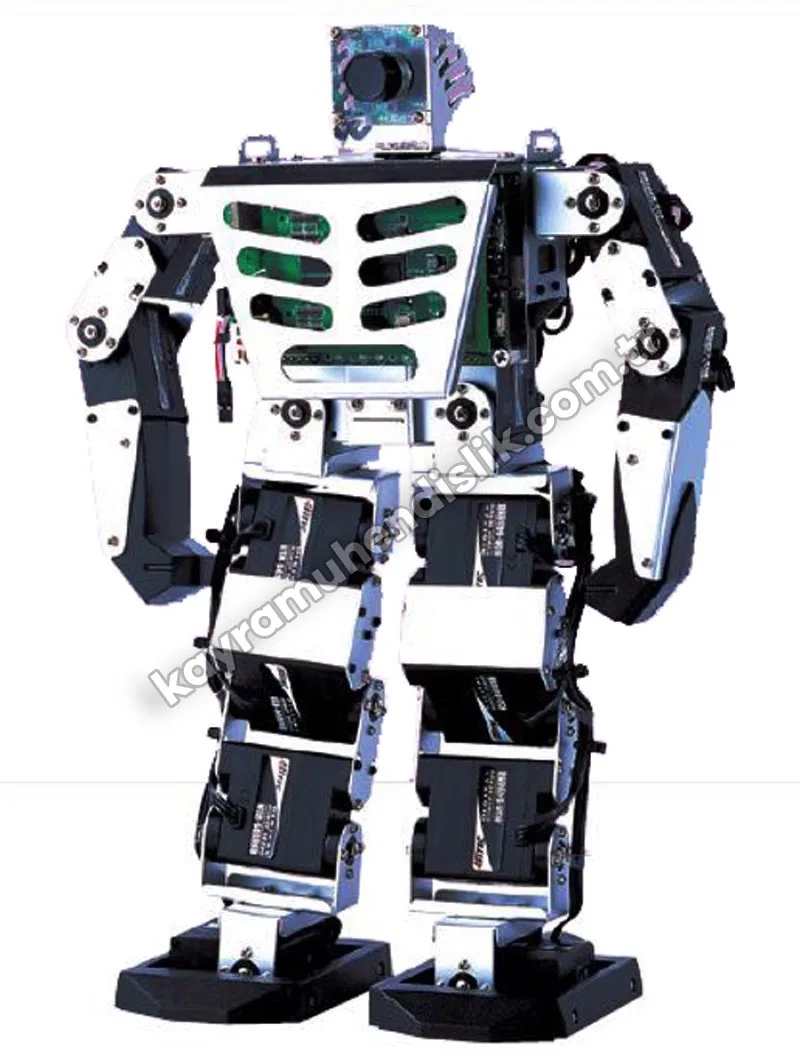
- RoboBuilder is a DIY platform that covers enough topics for robot education and is also fun and motivating.
- With the block-type robot module, many creative ideas and robot types can be developed.
- As the parts slot together, the block devices are very easy to assemble and dismantle.
- Robot movements in various environments can be controlled with the accelerometer, sound sensor and distance sensor.
- For precise motion control, a Micom carrying a PID controller is mounted in the block-type robot module.
- Thanks to this, it supports a full-duplex PID controller using a multi-drop method that can connect 254 block-type robot modules.
- It also provides intuitive software for making robot files, such as Motion Builder and Action Builder. LEDs are mounted on the wCK for intelligent robot actions. The robot files created can also be shared on the Internet.
- RoboBuilder has a jointed structure through which many robots can access the robot module, and software with which all the robots can be programmed.
- In this jointed (slot-together) system, parts can be assembled with just a screwdriver. As the robot parts are made of durable plastic, they do not wear out even after being fitted and removed many times.
Hardware details
|
wCK actuators (block-type robot module) |
All-metal gear 1108K, 12 pcs All-metal gear 1111K, 4 pcs |
| Robot projects | Transparent 16 actuator: Huno, Dino, Dogy |
| Built-in Bluetooth |
Real-time RS232C communication 1:1 99% send/receive, with 10 m open field |
| PSD sensor | Distance measuring range: 10 - 50 cm |
| Sound sensor | Sound level detection |
| Connector parts | 71 |
| Robot body colour | Transparent |
| Built-in LEDs | Red and green LEDs |
| Remote control type | IR |
| Built-in motion list | 40 |
| Accelerometer | 3-axis accelerometer sensor |
Experiment Contents
| Theory | 1. What is a robot? |
| Theory | 2. Introduction to RoboBuilder |
| Theory | 3. Introduction to Microsoft Robotics Developer Studio |
| Test | 4. Installing and setting up the hardware |
| Test | 5. Downloading and installing the software |
| Test | 6. The MSRDS VPL environment |
| Test | 7. Basic activities |
| Test | 8. MSRDS VPL service programming |
| Test | 9. RoboBuilder service programming with VPL |
| Test | 10. RoboBuilder application programming |
Delivery and Installation
Before shipment, our products are inspected and packed in special impact-resistant packaging, and are delivered safely to every province of Türkiye.
Installation: In laboratory and classroom projects, installation and commissioning after delivery are carried out by our expert team.
Training and support: User training and after-sales technical support are provided for experiment sets and simulators.