 Click to enlarge
My Cute School Bus Coding Robot (Robobus Programmable Robot Training Set) / FUB6282
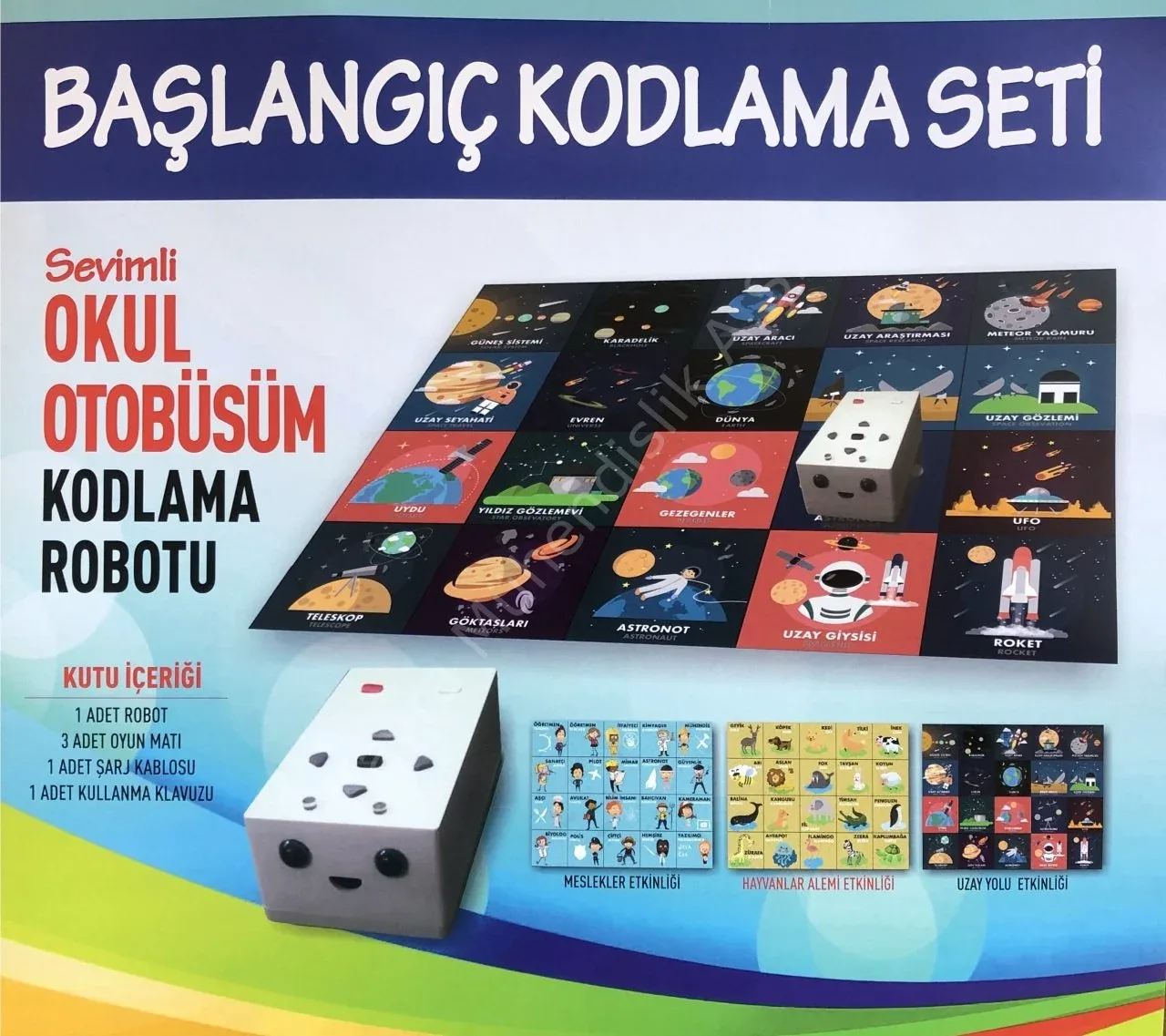
My Cute School Bus Coding Robot [Robobus Programmable Robot Training Set]. Our robot is made specially for preschool children. With it, the basics of coding are taught through play, covering topics such as sequencing, debugging and creating algorithms. The robot comes with 3 different activity mats: Professions, Animal Kingdom and Space Road. After the robot's on/off switch is set to position 1, as shown in the rear drawing, the robot's lights flash 2 times and the robot is ready for coding. Top drawing-2 forward button, Top drawing-3 left button, Top drawing-4 right button, Top drawing-5 wait button, Top drawing-6 backward button, Top drawing-7 play button, Top drawing-8 clear button. The forward and backward buttons move our robot 1 unit forward or backward on the mat. The right and left buttons turn our robot right or left through 90-degree angles. The wait button makes our robot wait where it is for 3 seconds. The play button runs the entered codes in order. If a coding mistake was made during programming, the clear button erases the memory. After processing the codes and stopping, our robot automatically clears its memory. To make a new algorithm, you can start by pressing any of the movement buttons. An algorithm is a path designed to solve a particular problem or achieve a specific goal; in computer science, it is a sequence of operations defined to do a task, starting from an initial state and ending in a clearly defined final state. Our robot is on the "Software Developer" square, facing the "Nurse". We want to take it to the "Pilot" square. To define this path, we can write many algorithms like those shown below, and all of them lead to the result we want. ALGORITHM I, ALGORITHM II, ALGORITHM III: 1. Forward 1. Forward 1. Forward 2. Forward 2. Right 2. Right 3. Forward 3. Forward 3. Forward 4. Right 4. Forward 4. Forward 5. Forward 5. Left 5. Forward 6. Forward 6. Forward 6. Left 7. Forward 7. Forward 8. Forward 9. Left 10. Forward. Ask your students to create different algorithms too. In the examples with the Professions activity mat, we can also teach our students about professions. Aimed at the 4-13 age group, this robot makes the abstract "codes" used in computer programs concrete through the buttons on the robot, so even preschool children who cannot yet read and write can easily learn the logic of coding. In this way, children can be taught, through play, "creating algorithms", "sequencing", "creating functions", "building loops" and "debugging". Our booklet prepared for using the robot gives teachers detailed help. This training, which develops analytical thinking and focus, will support children's cognitive development. Children who receive coding education in early childhood have been seen to analyse problems, determine the order of operations and plan strategically more easily than their peers, reaching solutions more easily. Package contents: 1 main robot kit; 3 activity mats (Professions, Animal Kingdom, Space Road); 1 user manual; 1 USB charging cable. Charging: the robot is charged with any micro USB-compatible adapter; charging values should be 5 V, max. 1 A; it can be charged from a computer's USB port; a red light under the USB socket shows charging has started, and a blue or green light that it is complete; the robot should be charged by adults only; the robot's micro USB charging input is shown in the front drawing.
Description
Our robot is made specially for preschool children. With it, the basics of coding are taught through play, covering topics such as sequencing, debugging and creating algorithms. The robot comes with 3 different activity mats: Professions, Animal Kingdom and Space Road. After the robot's on/off switch is set to position 1, as shown in the rear drawing, the robot's lights flash 2 times. Our robot is then ready for coding.
Delivery and Installation
Before shipment, our products are inspected and packed in special impact-resistant packaging, and are delivered safely to every province of Türkiye.
Installation: In laboratory and classroom projects, installation and commissioning after delivery are carried out by our expert team.
Training and support: User training and after-sales technical support are provided for experiment sets and simulators.